01 · planned
General Introduction
See how context, verification and workflows fit together in a real agent-assisted project.
A hands-on video course for founders building with AI: the setup, the checks and the workflow that turn a vibe-coded prototype into a product you can launch and stand behind.
No spam. One email when doors open.
Playing loads the video from Bunny (BunnyWay d.o.o., Slovenia), which receives your IP address, browser and referrer. See the privacy policy.
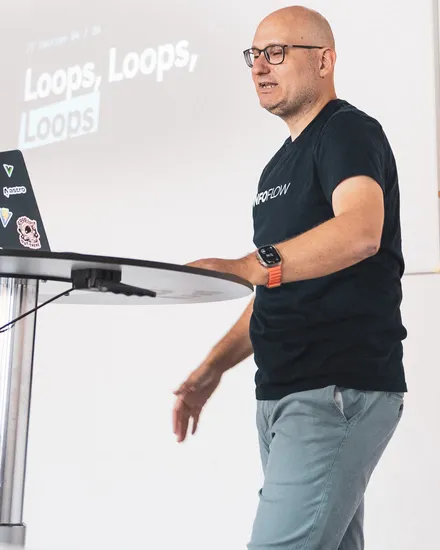
Hey, I'm Florian.
I ship software for a living, for real customers on production systems. For the last year I've been doing it with coding agents, inside the same strict process everything else goes through.
I learned the hard way that the model was never the bottleneck. The platform around it is. Everyone starts by vibing. This course covers what comes after, when you want to trust the agent with your codebase.
If you've felt that gap between a demo that dazzles and a product you'd dare to put in front of paying customers, this is for you.
— Florian van der Galiën


The curriculum
You build a real application alongside me, from first idea to live URL. The sessions are grouped around the three things that make AI work you can stand behind.
01
What the agent knows about your product, and how you guide it.
01 · planned
See how context, verification and workflows fit together in a real agent-assisted project.
02 · planned
Understand the tools, instructions and execution environment around the model.
03 · planned
Write repository instructions that give agents useful project context and clear working rules.
04 · planned
Connect an agent to tools and data through the Model Context Protocol.
05 · planned
Turn repeatable tasks into reusable instructions an agent can follow.
06 · planned
Work through scope, tradeoffs and an implementation plan before changing code.
07 · planned
Talk through ideas and give feedback while the agent helps turn them into concrete work.
08 · tentative
Turn a plan into a specification with clear boundaries and acceptance criteria.
09 · planned
Have the agent question your assumptions and uncover gaps in a proposed approach.
10 · planned
Give the agent relevant documentation and keep project guidance close to the work.
11 · planned
Link instructions, decisions and code so the agent can find the context it needs.
12 · planned
Guide an agent with references, visual direction and feedback on the rendered result.
02
How you know it actually works before a customer does.
01 · planned
Use compiler feedback to catch incompatible types and broken contracts early.
02 · planned
Give the agent actionable feedback on code quality and project conventions.
03 · planned
Automate formatting so reviews can focus on what the code does.
04 · planned
Let the agent inspect backend state and use real data to verify its changes.
05 · planned
Have the agent exercise browser flows and inspect the page it actually built.
06 · planned
Package the project’s verification steps into a repeatable workflow.
07 · planned
Review a change for correctness, regressions and missing checks.
08 · planned
Ask a separate reviewer to challenge the implementation and look for ways it can fail.
09 · planned
Review working code for unnecessary complexity and make it easier to maintain.
10 · planned
Use repository analysis to spot dead code, duplication and maintainability issues.
03
How you ship every week without doing it all yourself.
01 · planned
Split a task into bounded pieces and coordinate the agents working on them.
02 · planned
Prepare tasks with clear boundaries, checks and stop conditions for independent execution.
03 · planned
Give parallel tasks separate working directories to keep changes isolated.
04 · planned
Connect planning, implementation and review in a reusable delivery workflow.
05 · planned
Follow an agent session and steer ongoing work from another device.
06 · planned
Bring issues, pull requests and workflow checks into the agent’s terminal workflow.
07 · planned
Connect GitLab issues, merge requests and pipelines to the agent’s workflow.
08 · planned
Give the agent a running preview to inspect and verify before a change ships.
09 · planned
Read pipeline results and use automated review feedback to improve a change.
10 · planned
Run repeated work with an explicit goal, feedback and a clear stopping point.
Module 01 · planned
See how context, verification and workflows fit together in a real agent-assisted project.
Understand the tools, instructions and execution environment around the model.
Write repository instructions that give agents useful project context and clear working rules.
Connect an agent to tools and data through the Model Context Protocol.
Turn repeatable tasks into reusable instructions an agent can follow.
Work through scope, tradeoffs and an implementation plan before changing code.
Talk through ideas and give feedback while the agent helps turn them into concrete work.
Tentative
Turn a plan into a specification with clear boundaries and acceptance criteria.
Have the agent question your assumptions and uncover gaps in a proposed approach.
Give the agent relevant documentation and keep project guidance close to the work.
Link instructions, decisions and code so the agent can find the context it needs.
Guide an agent with references, visual direction and feedback on the rendered result.
Module 02 · planned
Use compiler feedback to catch incompatible types and broken contracts early.
Give the agent actionable feedback on code quality and project conventions.
Automate formatting so reviews can focus on what the code does.
Let the agent inspect backend state and use real data to verify its changes.
Have the agent exercise browser flows and inspect the page it actually built.
Package the project’s verification steps into a repeatable workflow.
Review a change for correctness, regressions and missing checks.
Ask a separate reviewer to challenge the implementation and look for ways it can fail.
Review working code for unnecessary complexity and make it easier to maintain.
Use repository analysis to spot dead code, duplication and maintainability issues.
Module 03 · planned
Split a task into bounded pieces and coordinate the agents working on them.
Prepare tasks with clear boundaries, checks and stop conditions for independent execution.
Give parallel tasks separate working directories to keep changes isolated.
Connect planning, implementation and review in a reusable delivery workflow.
Follow an agent session and steer ongoing work from another device.
Bring issues, pull requests and workflow checks into the agent’s terminal workflow.
Connect GitLab issues, merge requests and pipelines to the agent’s workflow.
Give the agent a running preview to inspect and verify before a change ships.
Read pipeline results and use automated review feedback to improve a change.
Run repeated work with an explicit goal, feedback and a clear stopping point.
The course is being built in the open. Titles, order and scope are subject to change.

Who's teaching
I'm a full-stack developer in a Web Dev & AI unit. I work with Astro, Vue, Supabase and a stack of coding agents on a product team where “just paste it into the chatbot” was never an option. I gave the “Beyond The Vibe” talk at the University of Bayreuth; enough people asked “how do I actually do this?” that I turned it into a course.
I build software a company depends on, with real customer data and GDPR to answer to. I hold AI to that bar, and the course teaches you to do the same.
Husband, father of two. I don't think the job is shrinking; it's moving from typing lines to designing the systems agents work in.
I'll email you once when the course goes live, with no launch hype and no drip sequence.
Check your inbox.
If confirmation is needed, we'll send a 24-hour link to .
Anything else? Email me. I answer every one. (yes, personally)
Yes, if you're willing to get your hands dirty. You won't write much code yourself (that's rather the point), but you will set up real tools: a terminal, git, CI. For every step I explain why it matters as well as what to click.
A prototype that works in a demo is a long way from a product people pay for. Those tools are great for the first version. This course covers what comes next: giving the AI real context, making it prove its work, and running the project so you can ship every week without hoping nothing broke.
Yes, and that is a good reason to do it properly. The docs, checks and workflow the course sets up are what a new developer needs on day one. They get a project with a paper trail instead of a pile of generated code nobody can explain.
Not if your workflow is “prompt, eyeball the diff, hope”. The course starts where autocomplete and chat stop: it gives agents the context, verification loops and infrastructure to work without you watching every keystroke.
Mainly Claude Code, with Codex CLI as a second opinion. The levers the course teaches (context, verification, infrastructure) carry over to whatever agent wins next year, and the tool-specific parts are marked as such.
That is up to you. Everything is unlocked from day one and nothing expires. I will confirm session lengths as I record the lessons. Each one ends with something running in your own repo, so the time you put in pays off straight away.
Models change; the system around them doesn't. A better model makes good context, verification and infrastructure more useful, because they're what let you hand it more work. The course also keeps growing after you buy it, and you choose how long you get the new lessons: for a year, or for as long as I keep adding them.
There are two options at checkout. Both unlock every lesson that exists on the day you buy, and your access to those never expires. They differ in what comes later: one includes every lesson published in the twelve months after your purchase, the other every lesson I add for as long as the course runs.